Category: Games

  • Sango: The Thunder God, rebuilt in Godot 4

    Sango: The Thunder God, rebuilt in Godot 4

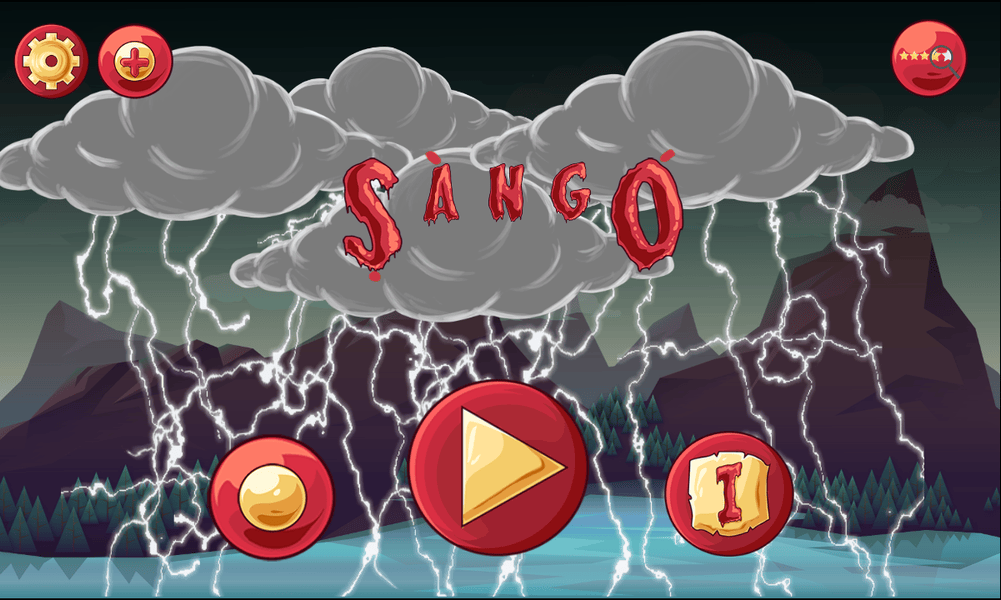
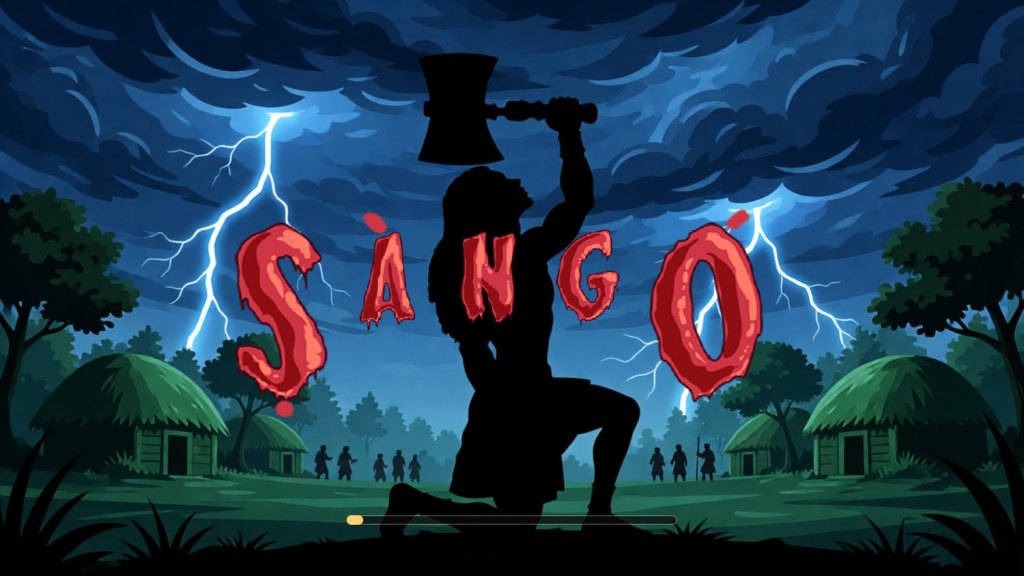
    Earlier this year I wrote about Sango: The Thunder God, the mythology-inspired platformer I first built in 2018. Since then I have rebuilt the whole game from scratch in Godot 4. It’s out now on Android, iOS and Windows, and you can play it in your browser.

    The game

    The eternal flame that kept evil spirits out of the village has been stolen, and Ṣàngó, god of thunder, takes up his axe. You play through four worlds and twenty levels to recover the flame, cleanse a poisoned river, break a warlord’s gate and climb a mountain no one has climbed, with a named guardian waiting at the end of each world.

    Combat is a three-hit axe chain, a heavy blow, a ground slam, a dash, and two screen-clearing ultimates: Call the Storm, which drops a dozen bolts across the screen, and Ruin, a detonation of fire. Each guardian fight has phases and an arena that turns against you, with a flood, falling spears or rolling boulders. Alongside the story there is a Survival mode with online leaderboards.

    I wanted the mythology handled with care. Ṣàngó’s axe is modelled on the real òṣé Ṣàngó, the carved double-bladed wooden axe held in museum collections. Thirty-two collectible scroll cards each carry a fact about Ṣàngó and the Yoruba world and name their source. The villains are original inventions, and no òrìṣà is cast as a demon.
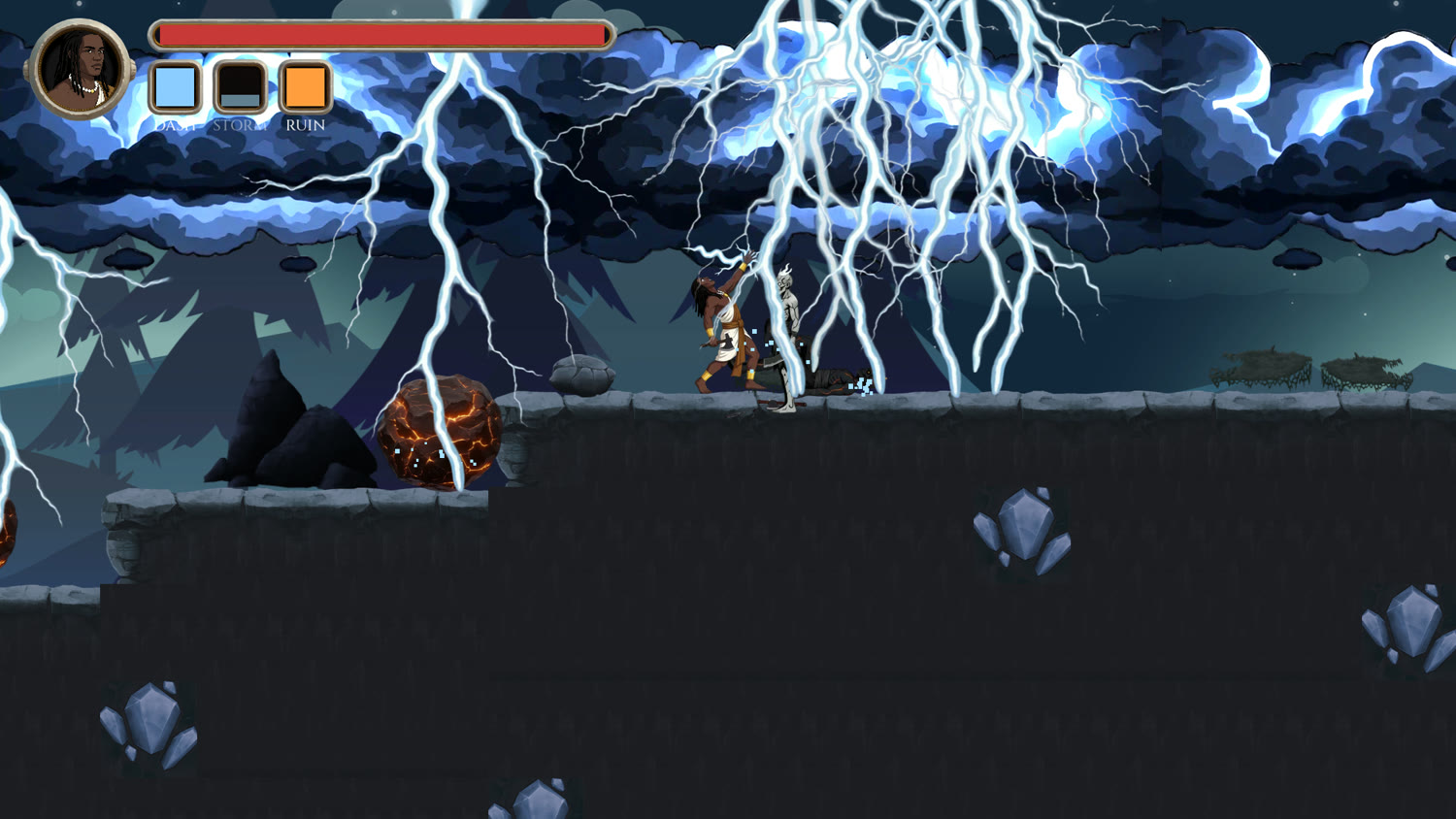
    Sango calling the storm, with lightning striking across a night level
    Call the Storm

    Why Godot

    For the reboot I wanted full control over combat feel, level design and tooling, and builds for several platforms from one project. Godot 4 gave me that. It’s open source and light, it exports to Android, iOS, Windows and the web, and typed GDScript is easy to read at a glance.

    How it’s built

    The architecture follows a few rules I set at the start:

    • Composition over inheritance. Behaviour lives in small component nodes (health, hurtboxes, hitboxes, movement, abilities) attached to each character, not in deep class hierarchies.
    • Data out of code. Tuning values live in Godot resource files, so balancing a boss or an ability means editing data, not scripts.
    • Presentation follows gameplay. Animation, effects, audio and camera shake react to gameplay signals. Gameplay never waits on an animation to know whether a hit landed.
    • Few globals. Five autoloads for things that really are global, like saving and audio, and no global event bus.
    • Small enough to change in one or two files, whether the change comes from me or from an AI assistant.

    The game has 20 levels in 4 worlds, 4 boss fights, a 12-panel intro and cutscenes for each world, 14 music tracks, 3 ambience beds and around 40 sound effects. Sponsorships, redeem codes and other online features run on a small Cloudflare Worker backend in TypeScript, with a D1 database and R2 storage.
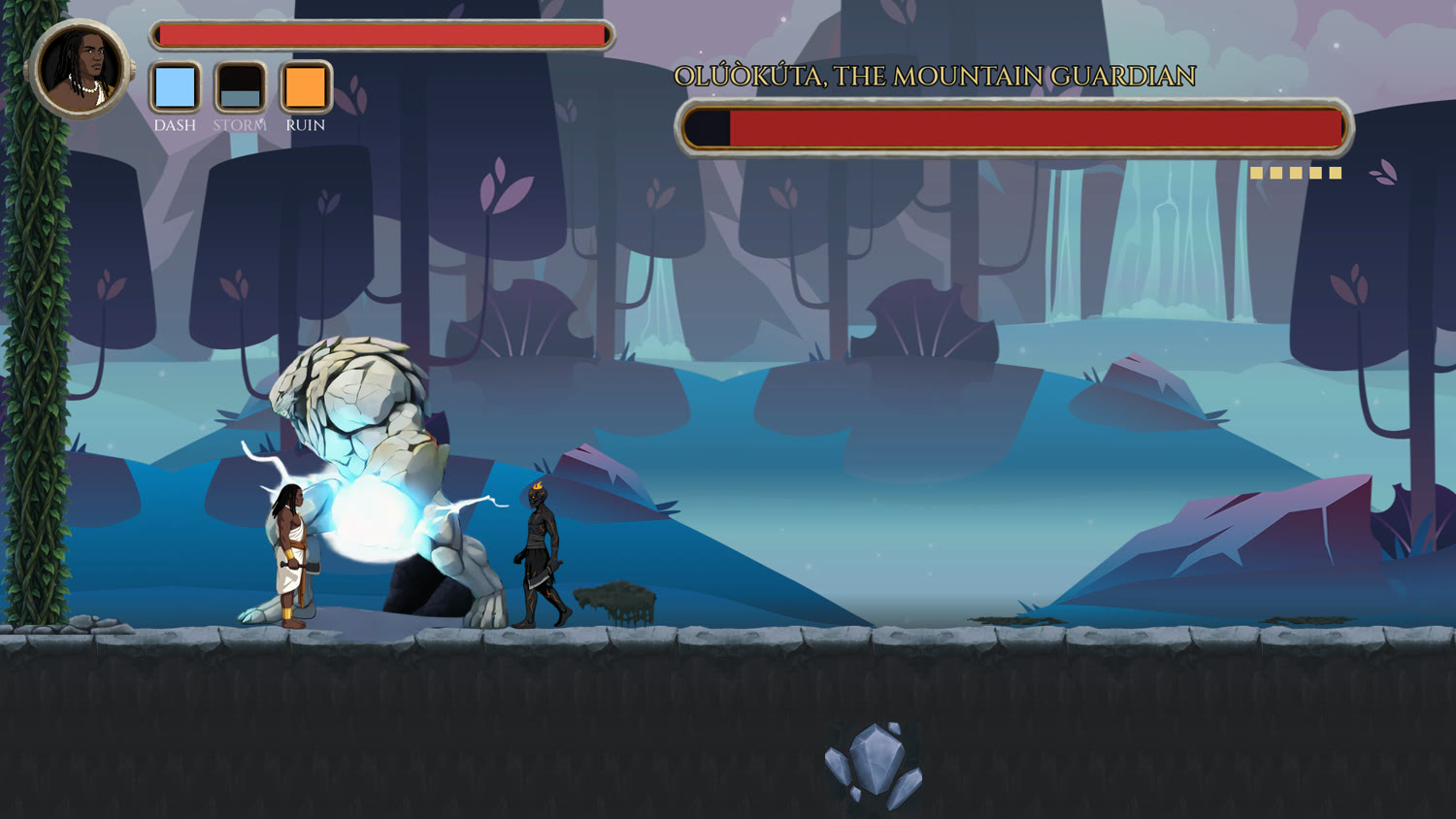
    Sango fighting the Mountain Guardian boss
    The Mountain Guardian, the boss of the fourth world

    Testing a game with a bot

    A platformer has plenty of ways to go wrong that only show up when someone plays it. Besides headless unit tests, the project has an automated play harness: a bot that walks every level, fights, jumps and reports where it died. It found real level problems, like a ranged enemy on a low shelf that turned the space under it into a cage, and a wide pit that killed every time its run-up was broken. It also found faults in itself that looked exactly like level bugs, which taught me to check the bot before blaming the level.

    Bugs worth remembering

    Some bugs only appear on a real device or in an exported build. A few from this project:

    • An enemy’s corpse floated above the floor because its sprite was anchored on the weapon it dropped.
    • A footstep sound was wired correctly and fired on time, and measured -51 dB, so nobody could hear it.
    • A menu passed 42 automated checks while being drawn zero pixels wide.
    • On iPhone only, a level loaded on a background thread came back with a tileset that had no source, so there was no ground under the player. The same build ran perfectly on a Mac.
    • A body crushed by a moving platform ended up at a position of NaN, and stayed there.

    Each one became a written rule in the project’s notes, so it would not be rediscovered the hard way.

    Building it with Claude

    I built the reboot with Claude as a working partner: a project context file, prompts that ask for evidence instead of guesses, and the habit of measuring things instead of arguing about them. I wrote up what worked in two courses, Zero to Hero for beginners and The Advanced Masterclass for experienced developers.

    Play it

    Sango: The Thunder God is on Google Play, the App Store and the Microsoft Store, and in your browser. The launch was covered by THISDAY, Techpoint Africa, P.M. News and Vanguard.

  • X-forge: Bringing Context-Aware AI Workflows to VS Code

    X-forge: Bringing Context-Aware AI Workflows to VS Code

    Modern software development has entered the AI-augmented era. Tools like Copilot, ChatGPT, Claude, and terminal-based agents can generate code, refactor logic, write tests, and even debug production issues. Yet, despite their power, developers still hit the same frustrating bottleneck:

    AI output is only as good as the context you give it.

    That insight is what inspired X-forge — a VS Code extension built to streamline context sharing and unlock higher-quality AI-assisted development workflows.

    👉 Open VS Code Marketplace
    👉 View on Open VSX Registry


    The Hidden Friction in AI-Assisted Development

    AI tools promise speed. But in practice, developers still lose time preparing prompts and explaining context.

    Common Pain Points

    1️⃣ Describing code is slow and ambiguous

    You’ve typed this before:

    “Check the function in authService around line 120…”

    That vagueness leads to generic AI responses.

    2️⃣ Copy-paste workflows break flow state

    Switching between editor → terminal → chat → browser interrupts cognitive flow and increases mental overhead.

    3️⃣ Missing context leads to mediocre AI output

    AI responses degrade when:

    • file paths aren’t clear
    • related files aren’t included
    • line ranges aren’t precise
    • dependencies aren’t visible

    4️⃣ Teams struggle to standardize AI usage

    Without shared context formats and workflows, AI usage becomes inconsistent across teams.

    The result?

    Developers spend more time explaining code than improving it.


    Why Context is the Multiplier for AI Output

    AI doesn’t think — it predicts based on inputs.

    Better inputs → better outputs.

    When AI receives:

    • exact file paths
    • line-level references
    • multiple related files
    • architectural context

    …it produces dramatically more relevant and accurate results.

    This principle is often called context engineering — and it is quickly becoming a core skill for modern developers.


    Introducing X-forge

    X-forge removes the friction between your code and your AI assistant.

    It enables developers to share precise code context instantly, allowing AI tools to understand exactly what you’re working on.

    Core Idea

    Select code → trigger X-forge → paste context → get precise AI assistance.

    No manual path typing.
    No vague descriptions.
    No broken flow.


    What Problems X-forge Solves

    ✅ Instant Context Sharing

    Copy structured file references and line ranges ready for AI prompts.

    ✅ Precision Debugging

    Provide exact code scope instead of vague descriptions.

    ✅ Multi-file Context Injection

    Share related modules to improve architectural understanding.

    ✅ Workflow Acceleration

    Stay inside VS Code and reduce context switching.

    ✅ Team Standardization

    Use consistent context formatting across teams.


    How X-forge Improves AI-Driven Development

    🔹 1. Higher Quality AI Responses

    Precise references allow AI tools to reason about your actual code instead of guessing.

    🔹 2. Faster Debugging Cycles

    AI can identify issues faster when it sees exact code ranges.

    🔹 3. Better Refactoring Suggestions

    Context enables AI to understand dependencies and side effects.

    🔹 4. More Accurate Code Reviews

    Share exact snippets with reviewers or AI agents.

    🔹 5. Improved Prompt Reusability

    Structured references create repeatable workflows.


    The Role of AI in Modern Dev Teams

    AI is no longer a novelty — it is a productivity layer.

    Today’s high-performing teams use AI to:

    • accelerate feature delivery
    • generate tests and documentation
    • review code
    • detect bugs and performance issues
    • onboard developers faster
    • explore architectural alternatives

    AI assistants inside VS Code are already becoming standard productivity tools.

    But the teams seeing the biggest gains aren’t just using AI.

    They are operationalizing context.


    Context Engineering: The New Developer Superpower

    The difference between average AI output and 10x output isn’t the model.

    It’s the context.

    Developers who master:

    • structured prompts
    • contextual file references
    • multi-file reasoning
    • dependency awareness

    will consistently outperform those who don’t.

    X-forge helps you operationalize that discipline.


    Real-World Workflow Examples

    Debugging a Production Issue

    Investigate this authentication failure:
    [src/auth/AuthService.ts:110-160]

    AI now sees exactly what matters.


    Refactoring a Component

    Refactor for performance and readability:
    [components/ProductCard.tsx]
    [hooks/usePricing.ts]

    Multi-file context = smarter refactoring.


    Code Review Assistance

    Review for security issues:
    [api/paymentController.php:1-200]

    Precise context yields targeted insights.


    Why X-forge Matters for Teams

    For solo developers, it saves time.

    For teams, it creates AI workflow consistency.

    Team Benefits

    • shared prompt structure
    • improved onboarding
    • repeatable AI workflows
    • higher signal AI outputs
    • reduced review cycles
    • standardized debugging practices

    The Bigger Vision

    AI will not replace developers.

    But developers who augment their workflows with AI and context will outperform those who don’t.

    X-forge is built around a simple belief:

    The future of development isn’t just AI-assisted — it’s context-driven.


    Get Started

    Install X-forge and bring context-aware AI workflows into your development process:

    👉 Open VS Code Marketplace
    👉 View on Open VSX Registry


    Final Thoughts

    The AI era isn’t about writing less code.

    It’s about making better decisions faster.

    By eliminating context friction, X-forge helps developers:

    ✔ think clearly
    ✔ communicate precisely
    ✔ collaborate effectively
    ✔ and unlock the full potential of AI

    Because the real productivity multiplier isn’t AI.

    It’s context.

  • Simple Less Compiler: Streamlining LESS Workflows in Modern VS Code Environments

    Simple Less Compiler: Streamlining LESS Workflows in Modern VS Code Environments

    Modern frontend development thrives on automation, consistency, and fast feedback loops. Yet even today, teams working with LESS often wrestle with build pipelines, task runners, or brittle watcher scripts just to transform styles into production-ready CSS.

    That friction is exactly what Simple Less Compiler aims to eliminate.

    Available on the VS Code Marketplace and Open VSX Registry, this extension provides seamless compile-on-save LESS → CSS workflows across VS Code, VS Codium, and other compatible IDE distributions — making it an accessible tool for developers everywhere.


    Why LESS Compilation Still Matters

    LESS remains widely used in:

    • legacy enterprise platforms
    • e-commerce systems and CMS themes
    • Bootstrap-based projects
    • rapid prototyping workflows

    However, modern toolchains often assume Node build pipelines (Webpack, Vite, Gulp), which can be excessive for:

    • legacy codebases
    • rapid UI iteration
    • lightweight deployments
    • teams maintaining hybrid stacks

    A lightweight compile-on-save workflow restores speed and simplicity.


    What Simple Less Compiler Does

    At its core, the extension automatically compiles LESS files to CSS whenever you save your file — eliminating manual compilation or build tasks.

    Key Capabilities

    ✔ Compile LESS on save
    No build step required — save and CSS is generated.

    ✔ Source & output directory control
    Configure centralized LESS → CSS pipelines via settings.json.

    ✔ Import dependency tracking
    If a partial file changes, dependent files recompile automatically.

    ✔ Subdirectory support
    Maintain structured design systems without extra configuration.

    ✔ Status feedback
    Compilation time feedback appears in the VS Code status bar.


    Installation & Cross-Platform Availability

    The extension is available via:

    • Visual Studio Code Marketplace
    • Open VSX Registry (for VS Codium & OSS builds)
    • GitHub source repository

    This ensures compatibility across:

    Supported IDEs

    • Visual Studio Code
    • VS Codium
    • Cursor
    • Windsurf
    • Gitpod & browser-based VS Code builds
    • Code-server environments

    Because these environments share the same extension API, tools built for VS Code integrate seamlessly across the ecosystem.

    This cross-compatibility is especially valuable for:

    • privacy-focused developers using VS Codium
    • enterprises blocking Microsoft telemetry builds
    • remote cloud development environments

    How It Improces Developer Productivity

    1. Eliminates Build Pipeline Overhead

    Instead of configuring:

    • Node watchers
    • Gulp/Grunt pipelines
    • Webpack loaders

    Developers can simply save and continue working.

    This is ideal for:

    • PHP/Yii or Laravel projects
    • CMS themes (WordPress, Magento, Shopify)
    • legacy frontend stacks
    • rapid UI iteration

    2. Enables Scalable CSS Architecture

    By supporting source and output directories, teams can implement:

    • centralized style pipelines
    • design system workflows
    • component-based LESS structures

    Example configuration:

    "less.compile": {
    "sourceDir": "${workspaceFolder}/less/",
    "outputDir": "${workspaceFolder}/css/"
    }

    This ensures consistent output paths across teams and environments.


    3. Smart Import Dependency Tracking

    When partials change, dependent styles automatically rebuild.

    Example:

    buttons.less → imports variables.less

    Updating variables.less recompiles both:

    • variables.css
    • buttons.css

    This prevents stale styles and debugging headaches.


    Under the Hood: Technologies Powering the Extension

    Understanding the technical architecture reveals why the extension is lightweight and reliable.

    VS Code Extension API

    The extension leverages the VS Code Extension API to:

    • watch filesystem events
    • intercept save actions
    • display status messages
    • expose commands via Command Palette

    This allows tight integration with the editor UI.


    LESS Compiler Engine

    The extension uses the official LESS compiler runtime to parse and compile stylesheets, ensuring compatibility with standard LESS syntax and features.

    Key capabilities include:

    • variable resolution
    • mixins & functions
    • nested selectors
    • imports & dependency graphs

    Node.js Runtime Integration

    Because VS Code extensions run on Node.js, the extension can:

    • monitor file changes efficiently
    • manage dependency trees
    • compile styles asynchronously

    This results in fast compile times and minimal overhead.


    Why Open Source Matters

    The extension’s open-source availability on GitHub is more than convenience — it represents a collaborative development model.

    Benefits to Developers

    ✔ transparency and auditability
    ✔ community bug fixes and enhancements
    ✔ customizable forks for enterprise workflows
    ✔ long-term sustainability

    Open source tools allow developers to solve problems together rather than reinventing solutions.


    How AI Is Enhancing Open Source Development

    AI is reshaping how open source projects evolve.

    1. Faster Issue Resolution

    AI-assisted debugging helps contributors identify edge cases and propose fixes.

    2. Code Modernization & Refactoring

    AI tools help:

    • update legacy APIs
    • improve performance patterns
    • enforce modern TypeScript standards

    3. Documentation & Accessibility

    AI can help maintain:

    • clearer documentation
    • multilingual support
    • onboarding guides

    4. Intelligent Feature Prototyping

    AI-assisted prototyping can accelerate:

    • new configuration workflows
    • smarter error reporting
    • predictive developer tooling

    The future of open source is human creativity amplified by AI tooling.


    Security Considerations & Trust

    VS Code extensions run with the same permissions as the editor, making trust and security critical.

    Current Safety Strengths

    ✔ open-source transparency
    ✔ minimal network interaction
    ✔ local compilation workflow

    Potential Security Enhancements

    Future improvements may include:

    • stricter path sanitization to prevent traversal issues
    • sandboxed compilation modes
    • integrity checks for output paths
    • enhanced workspace trust integration

    Security maturity is an ongoing process in any developer tooling ecosystem.


    Potential Enhancements & Roadmap Ideas

    Smart Error Diagnostics

    Inline explanations for LESS syntax errors.

    Auto-format & optimization

    Optional minification and autoprefixing workflows.

    Live preview integration

    Real-time CSS preview within the editor.

    AI-powered style suggestions

    Context-aware suggestions for:

    • variables
    • mixins
    • responsive breakpoints

    Workspace intelligence

    Detect existing CSS architecture and recommend configuration.


    Who Should Use Simple Less Compiler?

    This extension is especially valuable for:

    ✔ PHP & backend developers managing frontend styles
    ✔ teams maintaining legacy LESS codebases
    ✔ designers prototyping UI quickly
    ✔ agencies managing multiple theme projects
    ✔ developers working in telemetry-free VS Codium environments


    Final Thoughts

    Simple Less Compiler embodies what great developer tooling should be:

    • lightweight
    • focused
    • practical
    • open and extensible

    By removing friction from LESS workflows and supporting the full VS Code ecosystem, it empowers developers to focus on building interfaces — not managing build pipelines.

    As open source collaboration continues to evolve — and AI begins augmenting developer tooling — extensions like this represent the future of accessible, community-driven productivity tools.

  • ⚡ Sango: The Thunder God — Building a Mobile Game Inspired by African Mythology

    ⚡ Sango: The Thunder God — Building a Mobile Game Inspired by African Mythology

    In a mobile gaming landscape dominated by endless runners and recycled fantasy tropes, Sango: The Thunder God stands apart by drawing from African mythology and transforming it into an engaging platformer experience.

    As a developer, creating this game was not just about mechanics and graphics — it was about storytelling, cultural representation, and building an accessible experience that works smoothly on mobile devices.

    👉 Download Sango: The Thunder God on Google Play


    🌩️ The Story Behind the Game

    Sango: The Thunder God follows the legendary Alaafin of the ancient Oyo Empire, reimagined as a heroic warrior battling evil forces to protect his kingdom.

    Players step into Sango’s role, navigating perilous environments, battling enemies, and unleashing supernatural powers including lightning attacks and fire abilities.

    The goal was simple:

    Create a fast-paced action platformer rooted in cultural heritage.


    🎮 Gameplay Overview

    At its core, the game blends classic side-scrolling platform mechanics with combat and environmental challenges.

    Core Features

    • ⚔️ Story and Survival modes
    • 🗺️ 4 unique maps with 40 levels
    • 🐉 Boss battles and escalating difficulty
    • ⚡ Lightning & fire-based abilities
    • 🎮 Easy-to-use mobile controls
    • 🧩 Trap navigation and puzzle-like hazards

    These mechanics create an addictive gameplay loop that rewards timing, precision, and strategic combat.


    🛠️ Development Stack: Buildbox + Android Studio

    One of the most common questions developers ask is:

    Why Buildbox instead of Unity or Unreal?

    The answer lies in speed, efficiency, and mobile optimization.

    🎯 Buildbox: Rapid Game Development

    Buildbox enabled fast prototyping and iteration without deep engine boilerplate.

    Why it worked well:

    • Visual node-based logic system
    • Rapid level design & physics tuning
    • Built-in monetization & mobile optimization
    • Lightweight performance for low-end Android devices

    This allowed gameplay experimentation before committing to complex code structures.


    ⚙️ Android Studio: Native Control & Optimization

    While Buildbox handled the core gameplay, Android Studio played a critical role in:

    • APK packaging & signing
    • Performance tuning & memory optimization
    • Ad integration & monetization setup
    • Permissions & Play Store compliance
    • Crash debugging & device testing

    This hybrid workflow balances speed of development with native-level control.


    🎨 Designing for Mobile Performance & Accessibility

    Mobile users expect smooth gameplay even on entry-level devices.

    Key Optimization Strategies

    ✔ Sprite atlas optimization to reduce draw calls
    ✔ Physics tuning for consistent frame rates
    ✔ Lightweight UI & HUD rendering
    ✔ Memory usage optimization for low RAM devices
    ✔ Testing across varied screen densities & hardware

    The goal: deliver consistent performance without sacrificing visual appeal.


    🧠 Level Design Philosophy

    Each level was designed around three principles:

    1️⃣ Progressive Difficulty

    Players learn mechanics gradually before facing complex combat sequences.

    2️⃣ Environmental Storytelling

    Traps, terrain, and enemy placement communicate danger without tutorial overload.

    3️⃣ Reward & Mastery Loop

    Boss fights and survival mode encourage replayability and skill mastery.


    🌍 Cultural Representation in Gaming

    Representation matters.

    Drawing from Yoruba mythology and the legacy of Sango provides:

    • Cultural storytelling rarely seen in mainstream games
    • Educational curiosity about African history
    • A fresh alternative to western fantasy tropes

    This project contributes to the growing movement of African-inspired digital storytelling.


    📈 Lessons Learned During Development

    Building a mobile game reveals practical realities beyond tutorials.

    What Worked Well

    ✔ Rapid iteration with Buildbox
    ✔ Lightweight performance footprint
    ✔ Cultural uniqueness as a differentiator

    Challenges Faced

    ⚠ Device fragmentation & testing complexity
    ⚠ Balancing difficulty vs player retention
    ⚠ Performance tuning for older hardware
    ⚠ UX simplification for mobile controls

    Each challenge refined both the game and the development workflow.


    🚀 Future Roadmap: What’s Next?

    🍎 iOS Release (Coming Soon)

    An iOS version is in development to bring Sango’s adventure to a wider global audience.

    Expect:

    • Optimized touch controls for iOS devices
    • Performance tuning for Apple silicon
    • Game Center integration possibilities

    Stay tuned.


    🤖 The Role of AI in Future Iterations

    Artificial intelligence opens exciting possibilities for future versions:

    🎯 Smarter Enemy Behavior

    AI-driven adaptive difficulty could adjust combat patterns based on player skill.

    🧠 Procedural Level Generation

    Machine learning could generate new level layouts to extend replayability.

    🎮 Player Behavior Insights

    AI analytics can help understand:

    • Where players quit levels
    • Difficulty spikes
    • Engagement patterns

    🎨 AI-Assisted Asset Creation

    Future pipelines may leverage AI tools to accelerate:

    • Environment art variations
    • Character animations
    • Sound design iterations

    The goal is not replacing creativity — but amplifying it.


    💡 Advice for Developers Considering Mobile Game Development

    If you’re starting out:

    Start small. Ship early. Iterate often.

    Recommended Approach

    1. Prototype quickly with accessible tools.
    2. Test on real devices early.
    3. Optimize performance before adding features.
    4. Design for short mobile play sessions.
    5. Build a unique identity — gameplay or storytelling.

    ⚡ Final Thoughts

    Sango: The Thunder God is more than a mobile platformer — it is a fusion of culture, storytelling, and accessible game development.

    From leveraging Buildbox for rapid development to refining performance in Android Studio, this project demonstrates how modern tools empower independent developers to bring unique stories to life.

    If you enjoy action platformers, mythology-inspired gameplay, or discovering culturally rich gaming experiences, this journey is just beginning.

    👉 Play Sango: The Thunder God on Google Play


    Coming soon: iOS release, gameplay enhancements, and AI-powered improvements.

    Stay tuned. ⚡